Running Your Scholarship on Cirkled In: A Guide for Administrators Switching from Going Merry
By Reetu Gupta on Updated:
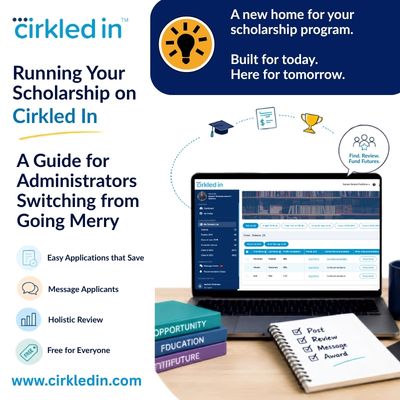
Looking for scholarships to share with your students? Search scholarships here. Want the full story on why Going Merry shut down? Read our breakdown here. Running your own scholarship program and need to move it off Going Merry? Keep reading.
If you’re reading this because Going Merry suddenly stopped working, you’re not imagining things. Going Merry officially shut down on March 5, 2026. If you were a counselor managing a caseload through Going Merry, that gap opened up overnight. No place to host your scholarships, no dashboard to review your applicants and no easy way to select your scholarship winner. And you need somewhere to land.
If you administered a scholarship through Going Merry, you’re not just looking for a new place for students to search. You need somewhere your applicants can actually apply, save their work, and come back to finish it, and somewhere your review team can log in and evaluate what comes in.
That’s a different question than “where do I post my scholarship now,” and it’s one we hear often, especially now that a new school year has counselors and volunteer program administrators picking this back up.
Where Going Merry Users Are Landing Now: Cirkled In
Cirkled In is where most students, counselors, youth organizations and scholarship sponsors are landing. Best part – Cirkled In is free for students and educators, just like Going Merry was AND it has so much more to offer. Cirkled In was built to do what Going Merry did well, and cover the gaps it didn’t.
Here’s what that looks like on Cirkled In.
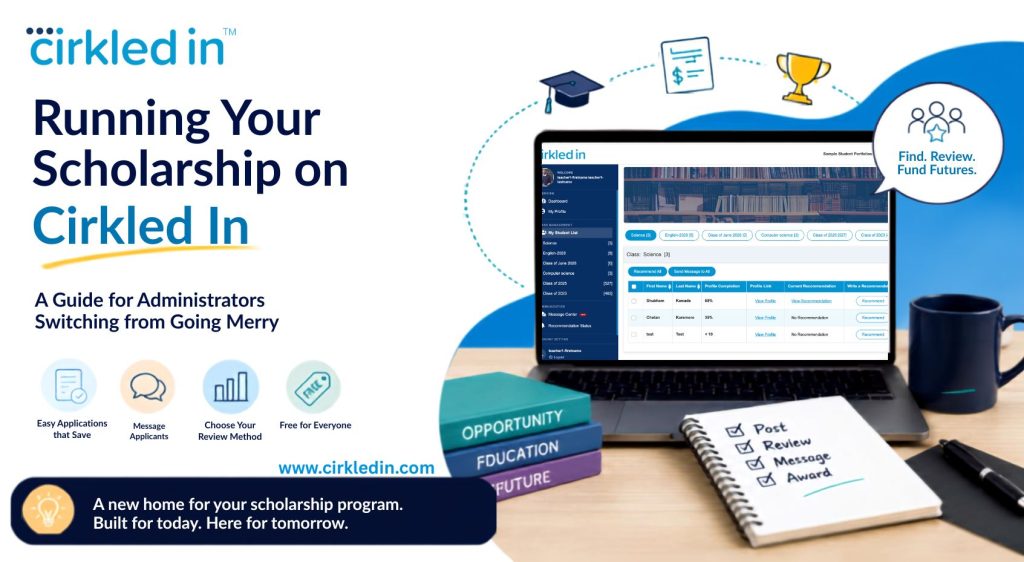 Cirkled In Going Merry Alternative
Why Administrators Are Choosing Cirkled In
- Free for your organization, your reviewers, and every applicant, no membership fee at any step.
- Applications save automatically, so no applicant loses progress mid-form.
- Your reviewer account is set up in advance, ready before your first application comes in.
- A quick 30 second view of applicants’ holistic portfolio, making winner selection process more effective and efficient.
- More than one reviewer can be assigned to the same scholarship pool, so your team can split the workload.
- Message applicants directly, one-on-one or in bulk, without leaving the platform.
- Review however works best for your team, directly in your educator portal or from an Excel export.
How Applying Works for Your Applicants
Every applicant builds a Cirkled In portfolio, the same profile they’d use to apply to any scholarship, college, or internship on the platform. For your scholarship specifically, that means:
- Applications save automatically, so an applicant can start, stop, and come back later without losing progress, the same flexibility Going Merry offered.
- Applicants aren’t limited to just your scholarship. From the same profile, they can apply to your program alongside thousands of other scholarships already on Cirkled In.
- Because the portfolio already holds their activities, achievements, and background, your applicants aren’t retyping the same information for every scholarship they apply to.
How Review Works for Your Team
Reviewers and administrators access applications through an educator account, which our team sets up for you in advance. That account gives your review team everything covered above, log in access, multiple reviewers per pool, messaging applicants, and the choice to review in your educator portal or from an Excel export.
Added Benefit: Teacher can also message the applicants – both one-on-one or in bulk.
What It Costs
Nothing. Posting and managing your scholarship on Cirkled In is free for your organization, the same way it was on Going Merry.
How to Move Your Scholarship Over
- Reach out to us to get started. Email us at migratemyscholarship@cirkledin.com and we’ll follow up with next steps to set up your organization and reviewer account.
- Post your scholarship through the intake form. A Cirkled In team member will review and approve it within a few business days, often within 1 to 2 days, and your scholarship goes live.
- Start accepting applications, reviewing candidates, and funding the future of the next generation.
Going Merry FAQs for Scholarship Administrators, Answered
- Can applicants save their progress and finish their application later?
Yes. Applications save automatically to the applicant’s portfolio, so they can return anytime to complete it.
- Can our reviewers log in and review submitted applications?
Yes. Cirkled In sets up your reviewer account for you in advance, and you can review applications directly in your educator portal. If your team prefers working from a spreadsheet, we can also provide an Excel export of all submissions.
- Do applicants need a separate account just for our scholarship?
No. They apply from the same profile they use across Cirkled In, so there’s no separate portal to manage on your end or theirs.
- Is there a cost to post or manage our scholarship?
No. It’s free for your organization and your applicants.
- Can we migrate an in-progress scholarship cycle from Going Merry?
Unfortunately, nothing can be migrated over from Going Merry. Any saved matches, in-progress applications, or profile data on Going Merry are gone, so your organization would set up a fresh scholarship cycle on Cirkled In and your applicants would build a new profile.
Ready to Move Your Scholarship Over?
Post your scholarship on Cirkled In and give your applicants and reviewers a home that isn’t going away. Post Your Scholarship
$2,500 No-Sweat Scholarship
Five minutes to apply for $2,500 toward college. No essay, no income requirements — open to all.